Repository navigation
Bringing back (read) access to the webwindow URL using external browsers - #20
Conversation


- getHTML now accepts either a webwindow or a UIFigure handle.
- getHTML tries to determine if the webwindow has an associated UIFigure or not, and uses the appropriate technique to get the HTML.
See example in the updated README.md.

|
Your discovery that changing the struct(hUIFig).Controller.ProxyView.PeerNode.setProperty('hostType','""'); |

|
@altmany I wish I had an explanation for this. Do you have any idea why it works? I noticed by pure chance that if we put a breakpoint in the webwindow constructor, the URL can be opened in a browser at that stage, but after the figure was fully created that was no longer the case. From there it was relatively easy to find which line made the uifigure inaccessible, and after some trial and error it became clear that the culprit was |
|
I may have been too hasty in my congratulations: when I open a new uifigure and set |
|
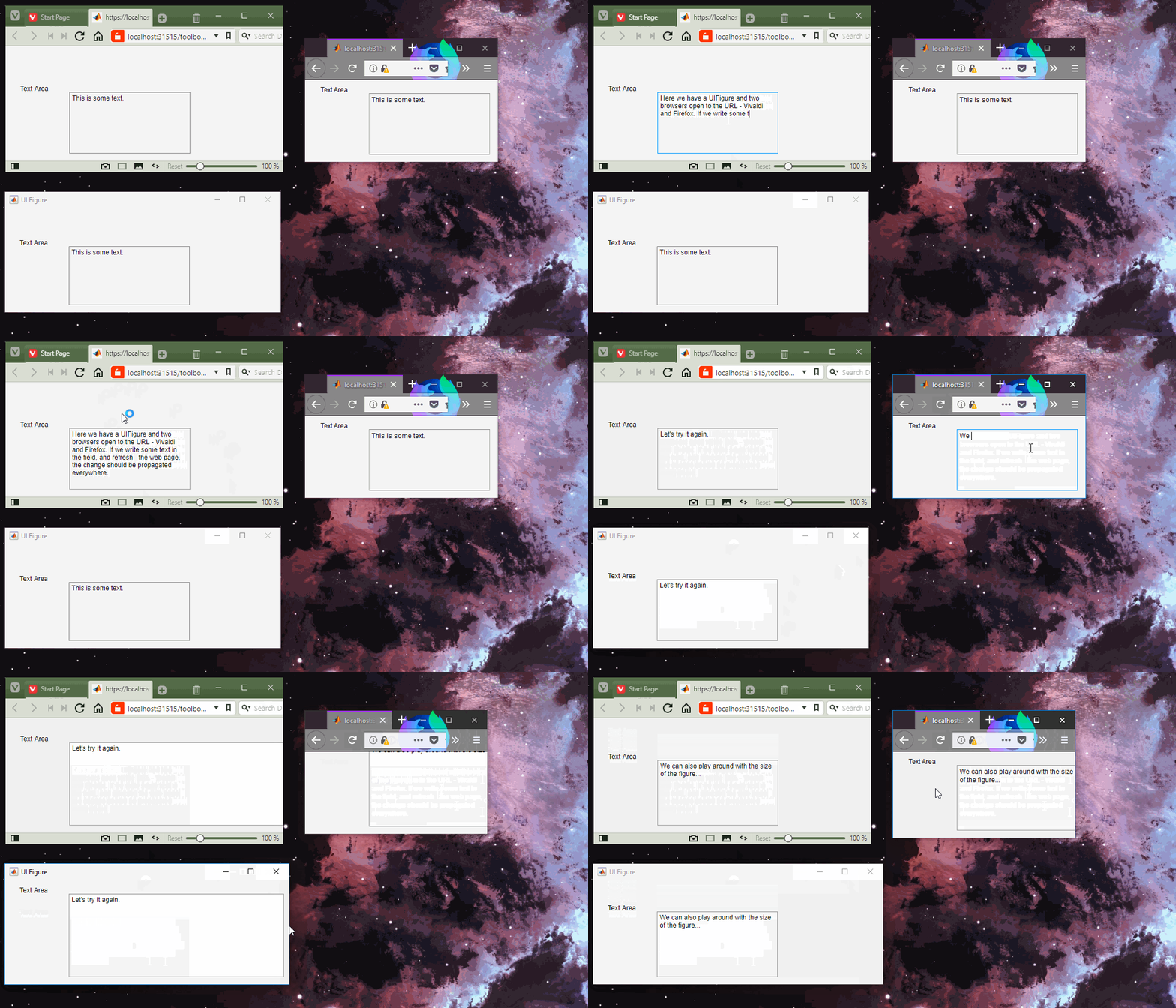
Hmm. Does the example code generate two equally empty browser windows/tabs for you? Does it work for you if you put a breakpoint at the beginning of the webwindow constructor (e.g. line 132), and open the URL shown in Update: web(hWW.URL,'-browser');
web(struct(struct(struct(hUIFigure).Controller).PlatformHost).CEF.URL,'-browser');I think it whitelists the browser process somehow.
|
|
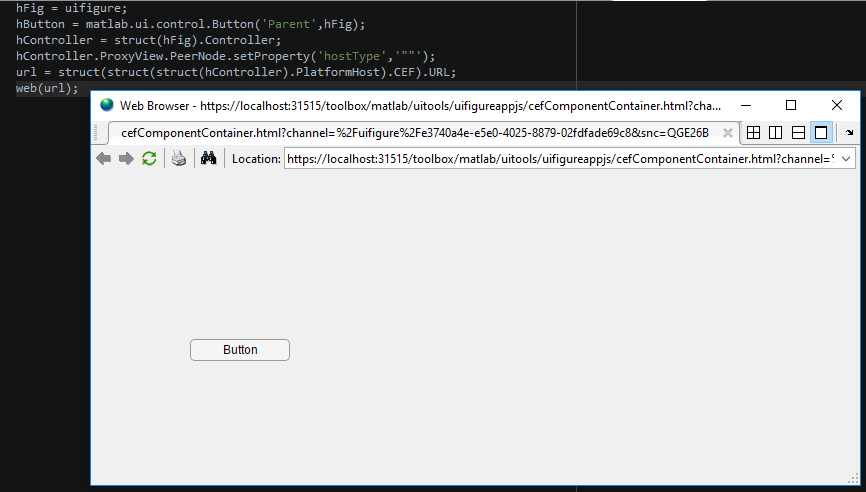
My test is very simple (R2017b Win10): hFig = uifigure;
hButton = matlab.ui.control.Button('Parent',hFig);
hController = struct(hFig).Controller;
hController.ProxyView.PeerNode.setProperty('hostType','""');
url = struct(struct(struct(hController).PlatformHost).CEF).URL;
web(hFig);this results in an empty (blank) webpage |
|
This is what I get:
|
|
and how exactly do I accept the relevant SSL certificate on localhost? |
|
p,s. importing C:\Program Files\MATLAB\R2017b\sys\certificates\ca\rootcerts.pem to the certificates list in either Internet Options\Content\Certificates or to the Trusted Root Certification Authorities Store on MMC as described here had no apparent effect. |
|
I believe that the certificate that needs to be accepted is found in
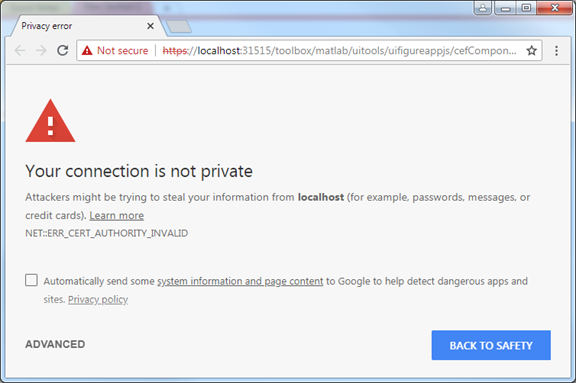
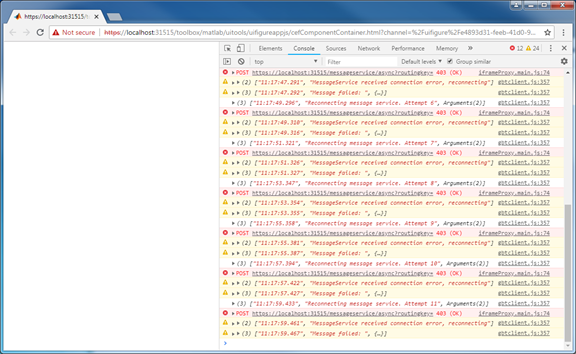
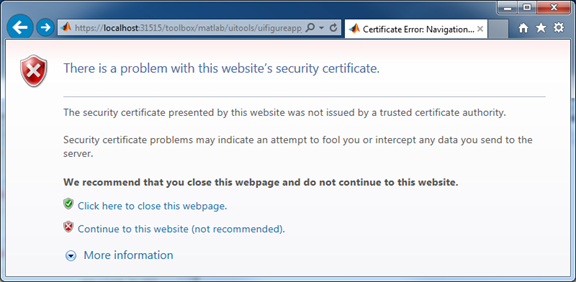
It should be noted that the steps below are only needed for those unwilling or unable to change the source of some internal MATLAB functions to make the communication channel not require a certificate. The line we should comment-out is this: Found inside the I'm going to show how to accept the required certificate in Windows using IE/Edge. This requires no administrative privileges on the system. This technique was tested on Windows 7 and R2017b, and assumes that Chrome Version 67.0.3396.99 (Official Build) (64-bit) is the default browser. On Chrome , when we first open a UIFigure URL we get the following warning: Upon clicking Advanced > Proceed to localhost (unsafe) we get to a blank window, which has recurring errors in the console (Inspect > Console):
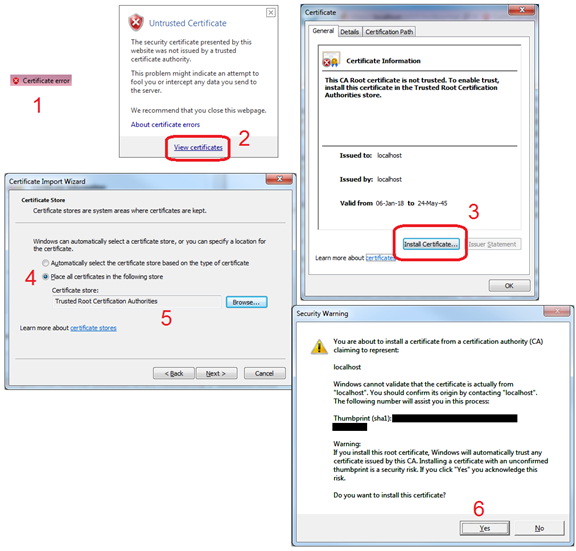
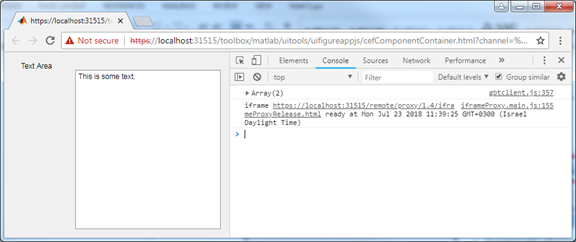
If we open this using IE/Edge we get a similar screen: From here we can click Continue to this website (not recommended). After which the address bar changes to: Note that the "Certificate error" is a clickable button, so we do the following: Afterwards, we need to create a new UIFigure, unlock it, and invoke the external browser using Now, what we see in Chrome are the contents of our UIFigure, with no errors in the console: |

Unix/Linux and Mac support is "TODO".
Note: it was only tested with an actual MATLAB installation on Windows!
|
Merging this seeing how there weren't any further "objections" :) |


Description
Title says it all. Also improved
getHTMLa bit.Motivation and Context
The ability to display and debug uifigures in a standard web-browser with associated dev tools, seems to have stopped working in R2017b. It's time for it to come back!
How Has This Been Tested?
Tested on R2018a, Windows 10 Pro N x64.
Screenshots (if appropriate):
Types of changes
Checklist: